Google Search Console 的 AI 分析功能已于上周向所有用户开放,此前仅开放试用。
该功能位于 Performance > Search results(效果 > 搜索结果)标签页,用户可通过输入类似生成式 AI 的提示词来获取网站自然搜索表现的分析洞察。
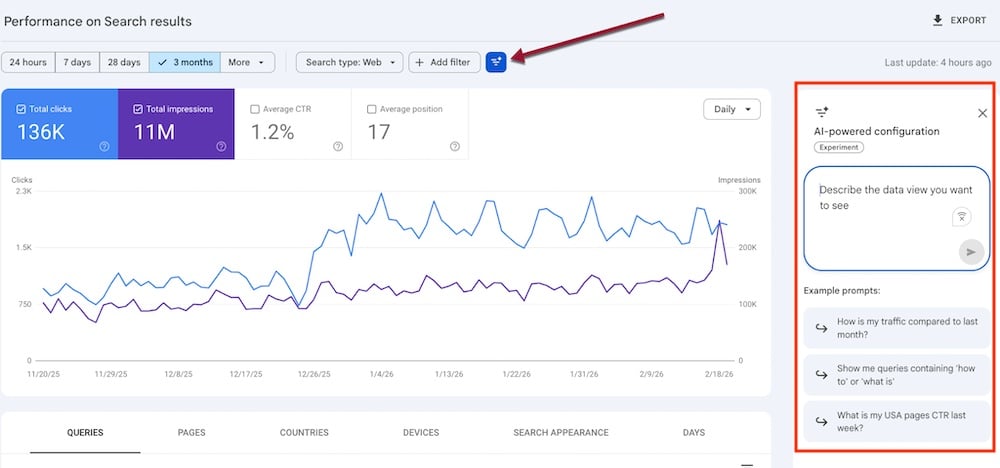
点击图片可放大。
查询分析
用户无需使用预置过滤器来辨别各类搜索类型,可直接输入自然语言提示词,例如:
- "Show question-like queries."
- "Filter queries longer than [xx] characters."
- "Show informational queries."
该功能基于正则表达式响应提示词。以 "Show queries with informational intent" 为例,系统生成的正则表达式如下:
Queries matching regex: (what|how|why|guide|tutorial|explain|definition|example|best way to|steps to|tips for|reasons why|benefits of|difference between)
点击 "Apply" 即可查看筛选结果。
同理,输入 "Show product research queries" 后,系统返回:
Queries matching regex: (best|review|compare|vs|price|buy|alternatives|guide|recommendations|features|specs|cost|discount|deal|sale|where to buy|how to choose|top rated|pros and cons)
同样可点击 "Apply" 或 "Dismiss" 确认或关闭该正则表达式。
品牌搜索
AI 分析功能在品牌名称搜索方面表现良好。输入 "Show branded queries" 后,系统返回包含品牌名称及一至两个词匹配模式的正则表达式:
Queries matching regex: (brandname|brand name)
流量变化
Search Console 的 AI 分析还可生成流量变化报告,例如:
- "Show pages that lost the most clicks over the past 30 days."
- "Compare clicks last month with the same month of the previous year."
国家/地区定向
用户可评估特定国家/地区的自然搜索可见性:
- "Show me clicks, Average CTR, and Average Position of my queries in Canada last month."
流量变化相关提示词示例:
- "Show pages that lost the most clicks over the past 30 days in Canada."
局限性
新推出的 AI 功能具有一定实用性,但未带来颠覆性改变。缺乏经验的用户通常不知道如何提问,而资深用户可直接使用预置过滤器完成相同操作。
此外,AI 集成仅支持顶层过滤器,无法处理效果报告中不可用的过滤器请求。例如,当平均排名大于 2 时,系统无法响应相关提示词,说明该功能仍有改进空间。
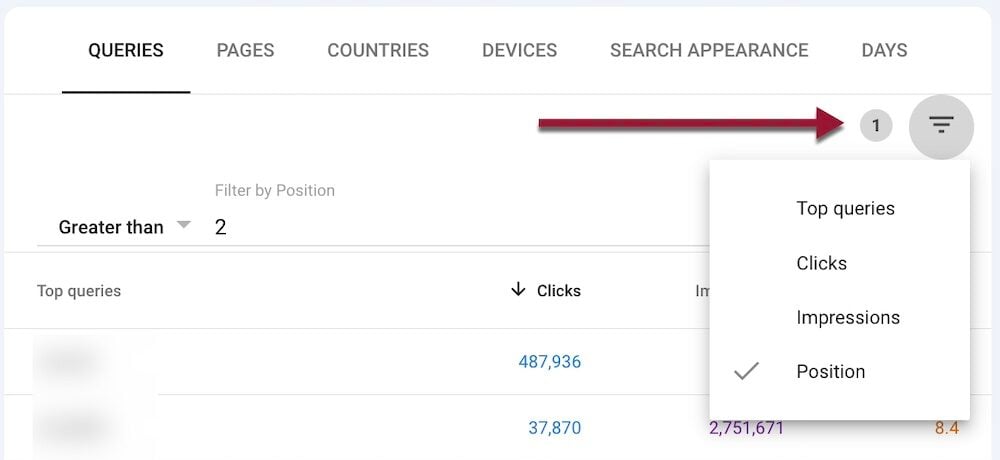
默认效果报告仅支持按排名 1 进行筛选。
原文链接
https://www.practicalecommerce.com/ai-prompts-come-to-search-console本文为译文,如有侵权请联系删除